Shadows are one of the details that make a 3D scene feel grounded and believable, and also one of the easiest to get visibly wrong. This update makes the sun’s shadows steadier, cleaner and much easier to tune, and brings the same improvements to spot, point and area lights.
In short:
- Stable cascades. Directional light shadows no longer shimmer when the camera moves or rotates.
- Smarter bias. One setting, measured in shadow map texels, works from the nearest cascade to the farthest.
- Seamless lights. Point lights lose their cube seams, and spot, point and area lights share the new bias model.
- More control. Choose 1 to 4 cascades, how they are split and fitted, and how often the far ones update.
- Better debugging. See each cascade and the texel density right in the viewport.
In this article
- Why shadows matter
- How does a real-time shadow work?
- The sun problem, and cascades
- Where the old approach struggled
- What’s new
- See the difference
- Getting started
- Upgrading from the previous version
- Try it and tell us what you think
Why shadows matter
Take the shadows out of a scene and everything seems to float. Objects lose their connection to the ground, depth is harder to read, and the lighting looks flat. A good shadow tells you where things are, how big they are and where the light comes from.
A bad shadow is just as noticeable. Edges that crawl when the camera moves, stripes across a surface, or a shadow that detaches from the object casting it all break the illusion immediately. That is what this release goes after.
How does a real-time shadow work?
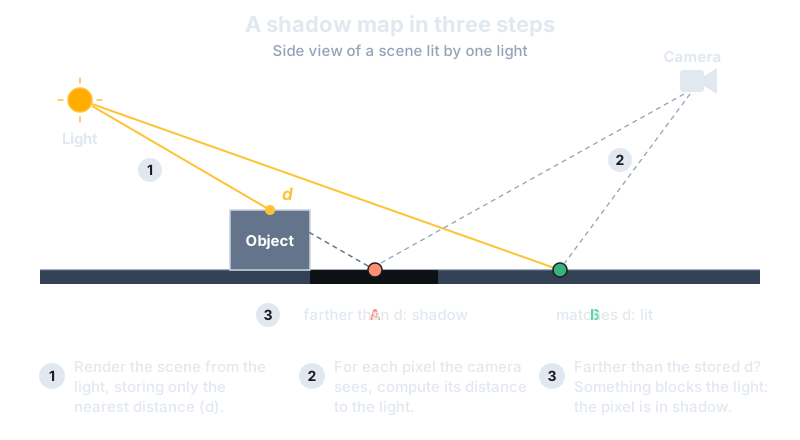
Real shadows come from light being blocked, but a real-time renderer doesn’t trace light. It uses a cheaper and very effective trick called a shadow map:
- Look from the light. We render the scene from the light’s point of view, but we only store the distance to the nearest surface for each pixel. The result is the shadow map.
- Look from the camera. For each pixel on screen, we work out where it sits from the light’s point of view and compare its distance with what the shadow map recorded.
- Decide. If something closer to the light was recorded, the pixel is in shadow. Otherwise, it is lit.
The catch is that a shadow map is a texture with a fixed resolution. Think of it as a low-resolution photo of the scene taken from the light. Almost every shadow technique is a way of getting the most out of that limited resolution.
What about ray traced and path traced shadows?
Shadow maps are an approximation, so it is fair to ask why we don’t simply trace the light. On GPUs with hardware ray tracing we can: fire a ray from each visible point towards the light, and if something gets in the way, the point is in shadow. There is no texture resolution to run out of, so there is no blockiness, no acne and no peter-panning, and soft shadows come out accurately. Path tracing goes further and follows many random light paths as they bounce around the scene, so shadows, reflections and indirect lighting all come from the same process. Evergine’s path tracer sample shows what this looks like.
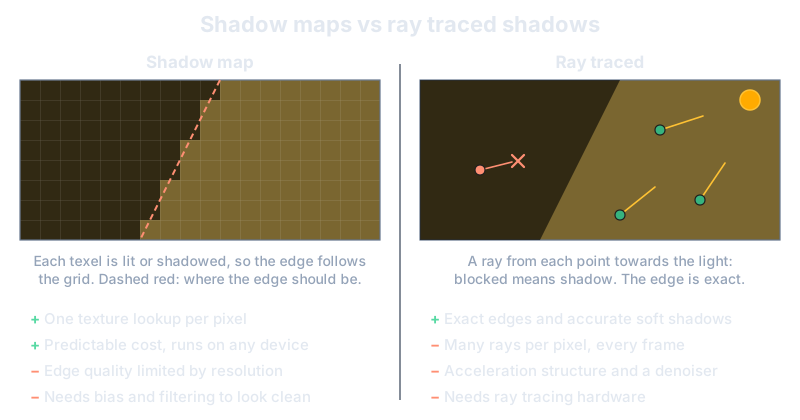
The price is performance. A clean image needs several rays per pixel every frame, usually followed by a denoiser. The scene needs an acceleration structure that must be rebuilt as objects move. And rays scatter in every direction, which is much harder on GPU memory than rasterizing triangles into a texture. Even high-end desktop GPUs budget their rays carefully, and most phones, tablets and low-end devices have no hardware ray tracing at all.
That is why shadow maps are still the workhorse of real-time shadows: they are cheap, predictable and run on virtually every device. Ray tracing is a great option where the hardware allows it, but shadow maps are what keep a scene running everywhere else, which is why we keep investing in them.
The sun problem, and cascades
A directional light stands in for the sun, and the sun lights everything. A single shadow map would have to cover the whole visible world, so a texture stretched over hundreds of meters would give blocky shadows right in front of the player, where detail matters most.
The classic solution is cascaded shadow maps. We split the view into slices by distance from the camera: a small slice close to you, a larger one behind it, and so on. Each slice gets its own shadow map, so nearby shadows are sharp and distant ones are coarser. Far-away things are small on screen, so you rarely notice.
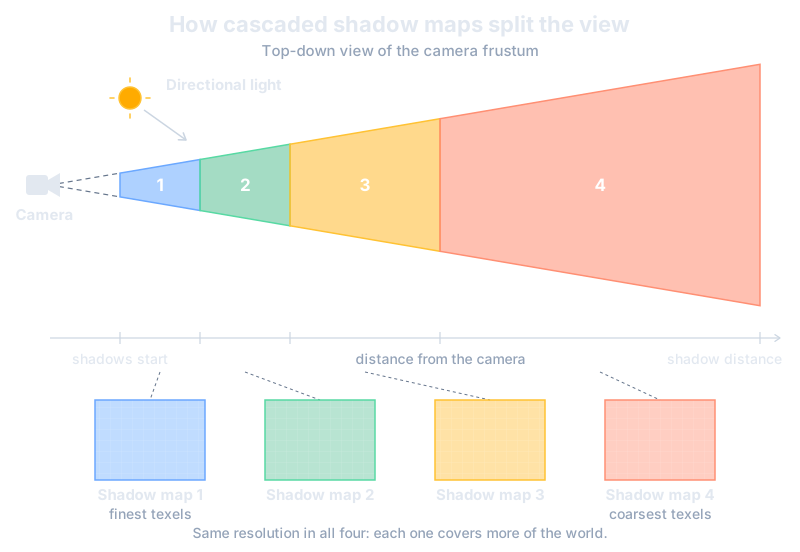
Evergine already used cascades. The new release is about making them behave better.
Where the old approach struggled
Three problems came up again and again:
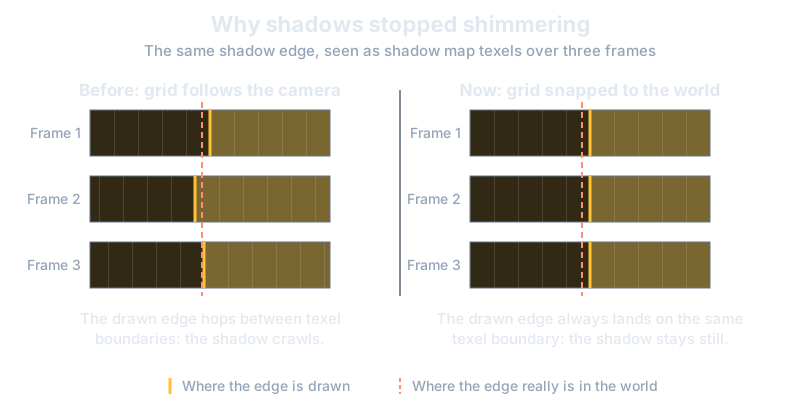
- Shimmering. Each cascade was oriented using the camera, so when the camera turned, the shadow map’s grid slid across the world. Shadow edges crawled and sparkled.
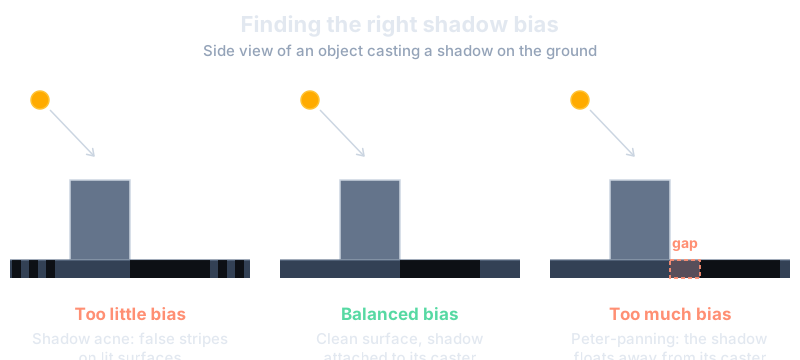
- Acne and floating shadows. Because a shadow map is a grid of samples, a surface can wrongly shadow itself and show stripes (shadow acne). The usual cure is a small bias, but a single fixed value can’t suit every cascade. Too little leaves stripes at grazing angles, and too much detaches the shadow from its caster (peter-panning), especially in the far cascades.
- Little room to tune. The number of cascades was fixed at four, with limited control over how they were distributed.
What’s new
Cascades that no longer shimmer
The shadow space now depends only on the orientation of the light, not on where the camera is looking. Each cascade is also snapped to the shadow map’s texel grid, and its size only changes in small steps of about 2%. As a result, moving or rotating the camera no longer changes which texel covers which part of the world, and the shimmering is gone.
Bias that understands your scene
Bias is now applied in world space and measured in shadow map texels. Two new properties, ShadowDepthBias and ShadowNormalBias, automatically scale with the size of each cascade’s texels and with the softness of the shadow filter. A single setting now behaves sensibly from the closest cascade to the farthest one, which removes the acne bands at grazing angles and the floating shadows in the distance.
Spot, point and area lights
The texel-based bias model is not limited to the sun. Spot, point and area lights now use it too, so ShadowDepthBias and ShadowNormalBias mean the same thing on every light type. Along the way we fixed two problems:
- Acne rings on surfaces facing away from a light’s projection axis.
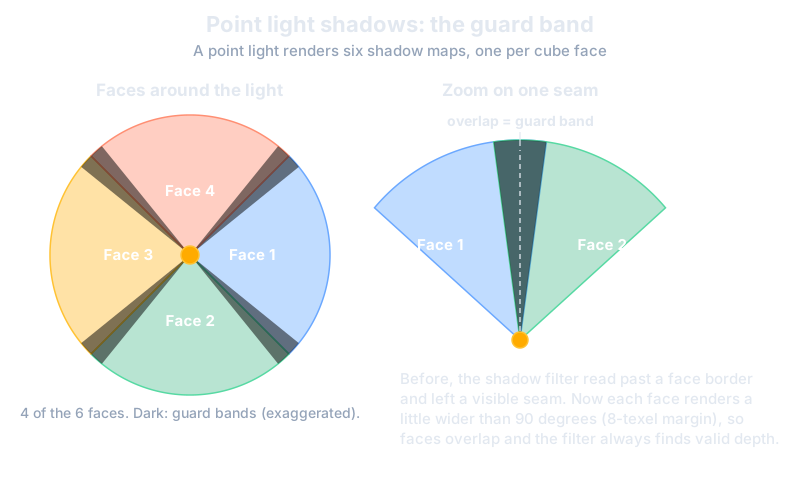
- Visible seams on point lights. A point light uses six shadow maps, one per face of a cube, and the filter used to read bad data along the edges. Each face is now rendered slightly wider than 90 degrees, with an 8-texel margin, so neighbouring faces overlap and the seams disappear. This fix is specific to point lights.
Cascades you can tune
Directional lights now expose the trade-offs between quality and performance:
- Cascade count: from 1 to 4, and each light only allocates the shadow maps it needs.
- Split mode: Automatic blends a logarithmic and a uniform distribution, controlled by
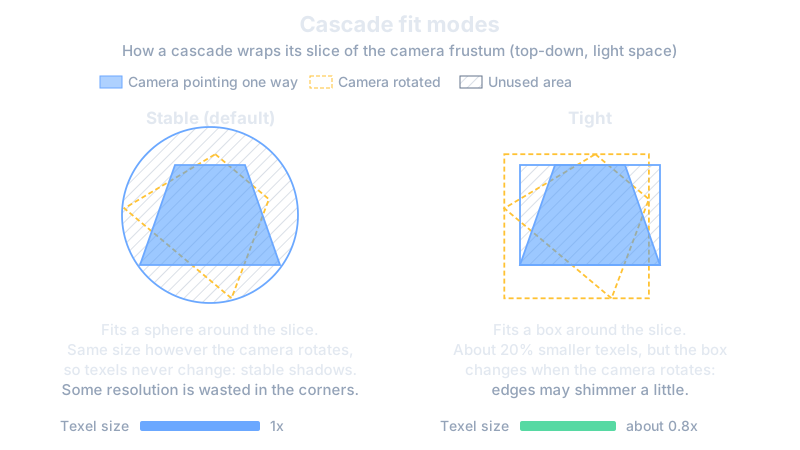
GammaDistribution. Manual lets you decide where each cascade ends. - Fit mode: Stable (default) fits each cascade to a sphere around its slice, so texel size never changes. Tight fits a box instead, giving about 20% smaller texels at the cost of some shimmering when the camera rotates.
- Selection mode: choose each pixel’s cascade by view depth, or take the first (sharpest) cascade that contains it, so more pixels use the high-resolution maps.
- Cascade blend and shadow fade: neighbouring cascades can blend into each other, and shadows can fade out smoothly before the maximum shadow distance instead of cutting off.
- Far cascades update interval: distant shadows change slowly, so the far cascades can be re-rendered every N frames. The engine keeps the cached maps while the camera and the light stay within a tolerance, which lowers the cost of the shadow pass.
Note: The update interval has no effect when a light is rendered by several cameras.
Better debugging
Light Debug Mode now shows the color of each cascade (and of each cube face for point lights), plus a checkerboard of 8x8 shadow map texels, so you can see exactly how dense your shadows are on screen. Spot lights get their own DebugMode too.
We also fixed related issues: cascade split distances now use the correct formula, orthographic cameras with a zero near plane no longer produce invalid splits, and rendering several cameras with multiple shadow-casting directional lights no longer makes the lights overwrite each other’s shadow maps. Backends handle depth clamping consistently, so objects in front of a cascade are no longer clipped.
See the difference
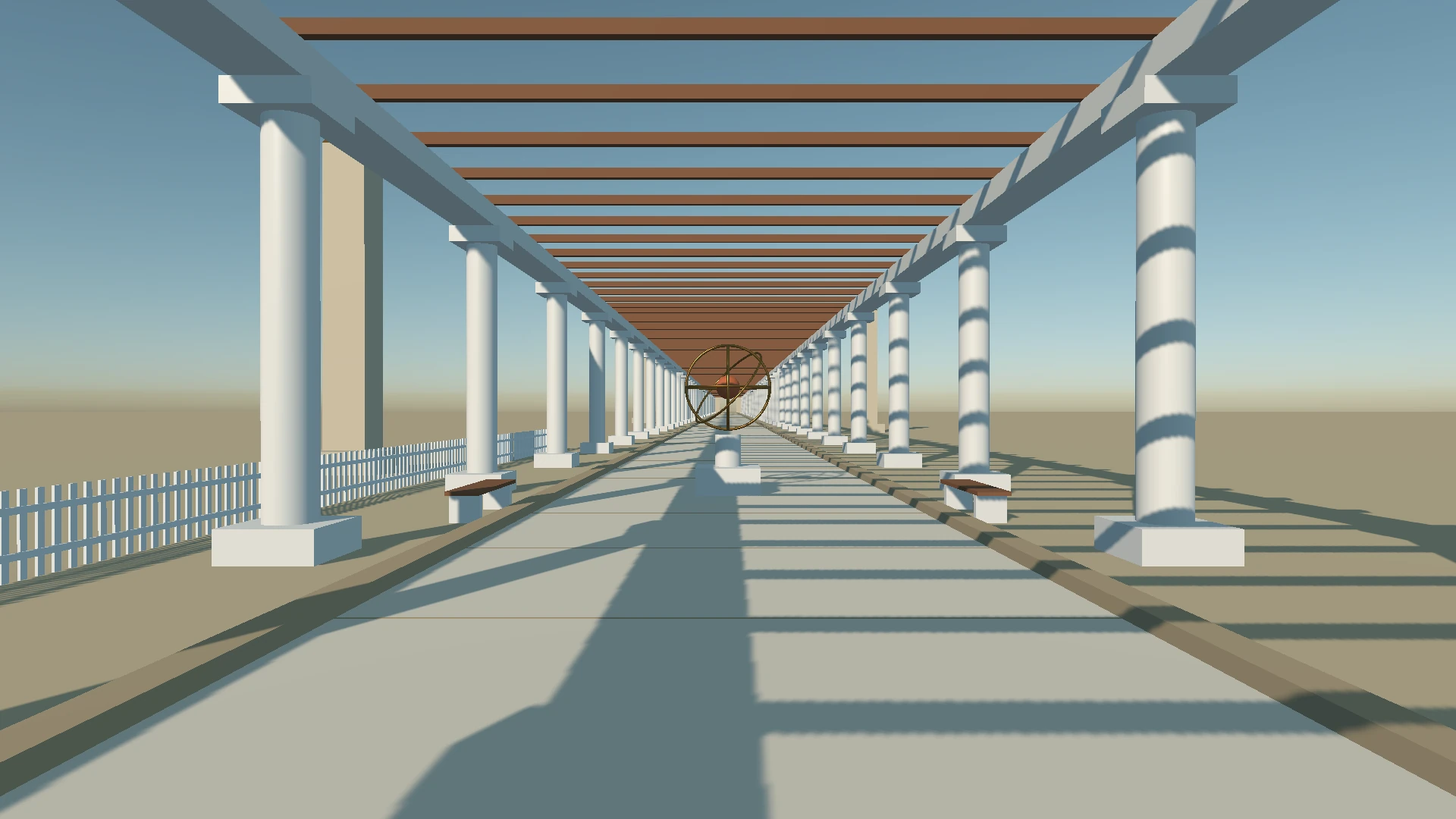
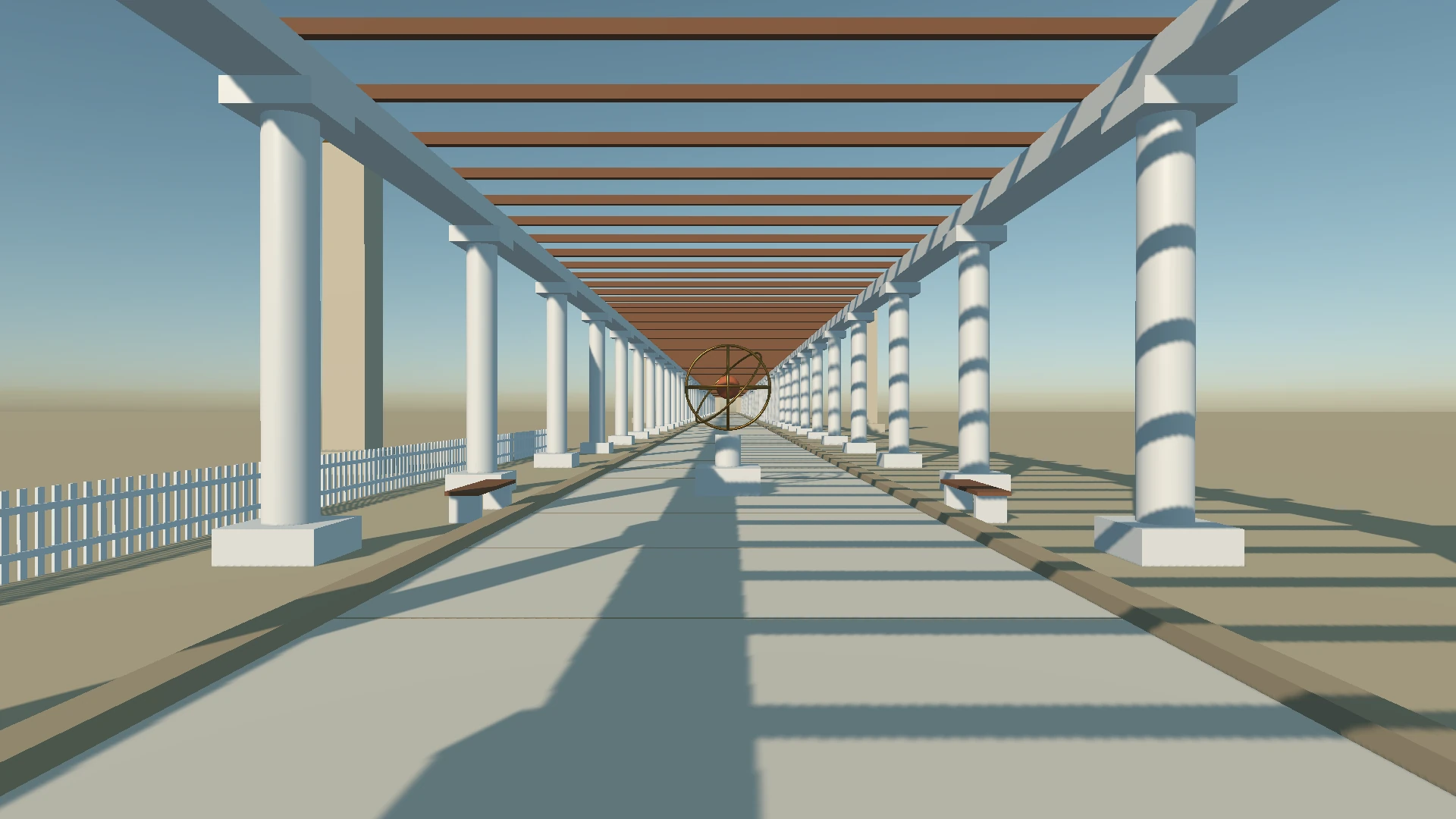
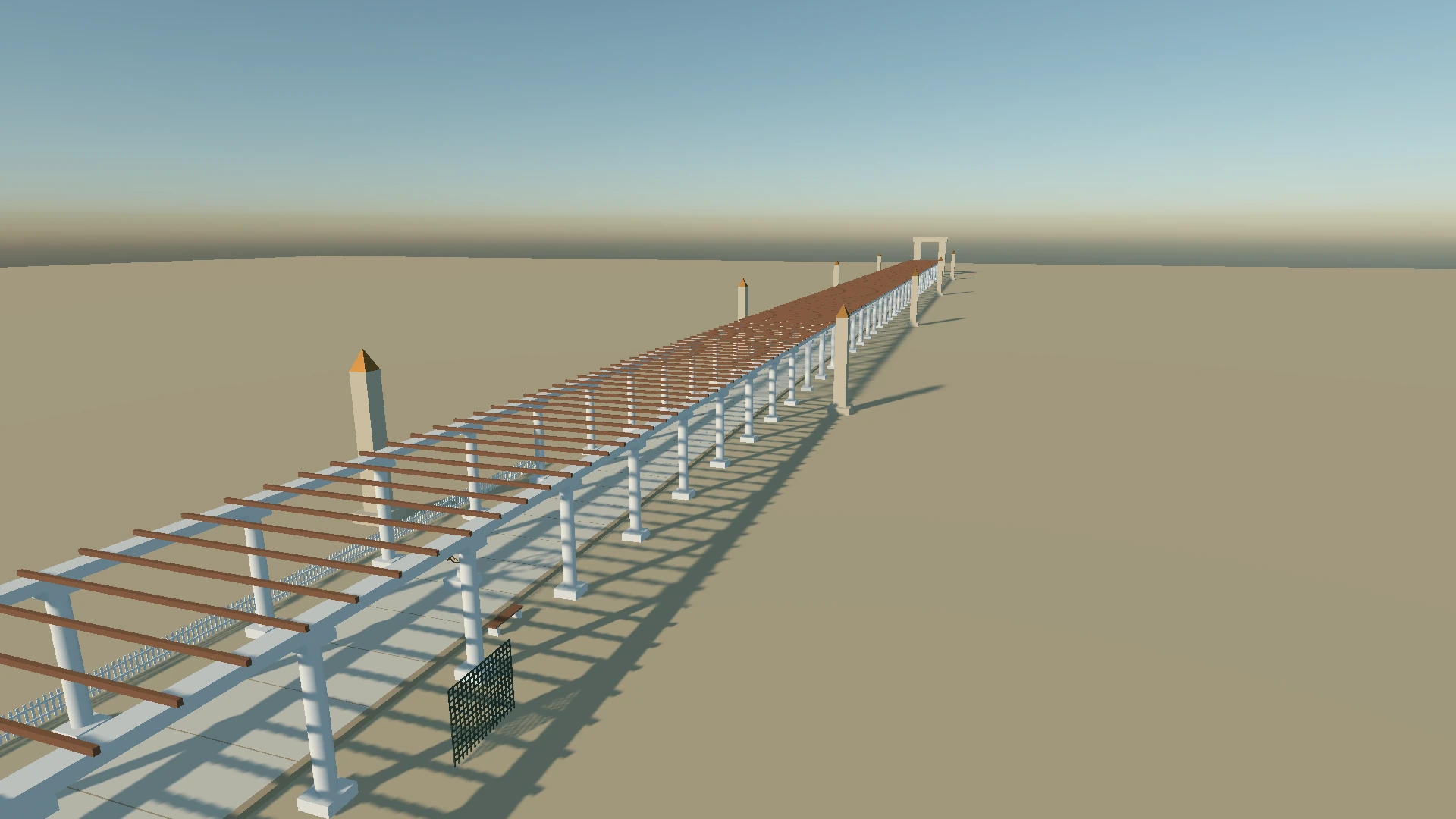
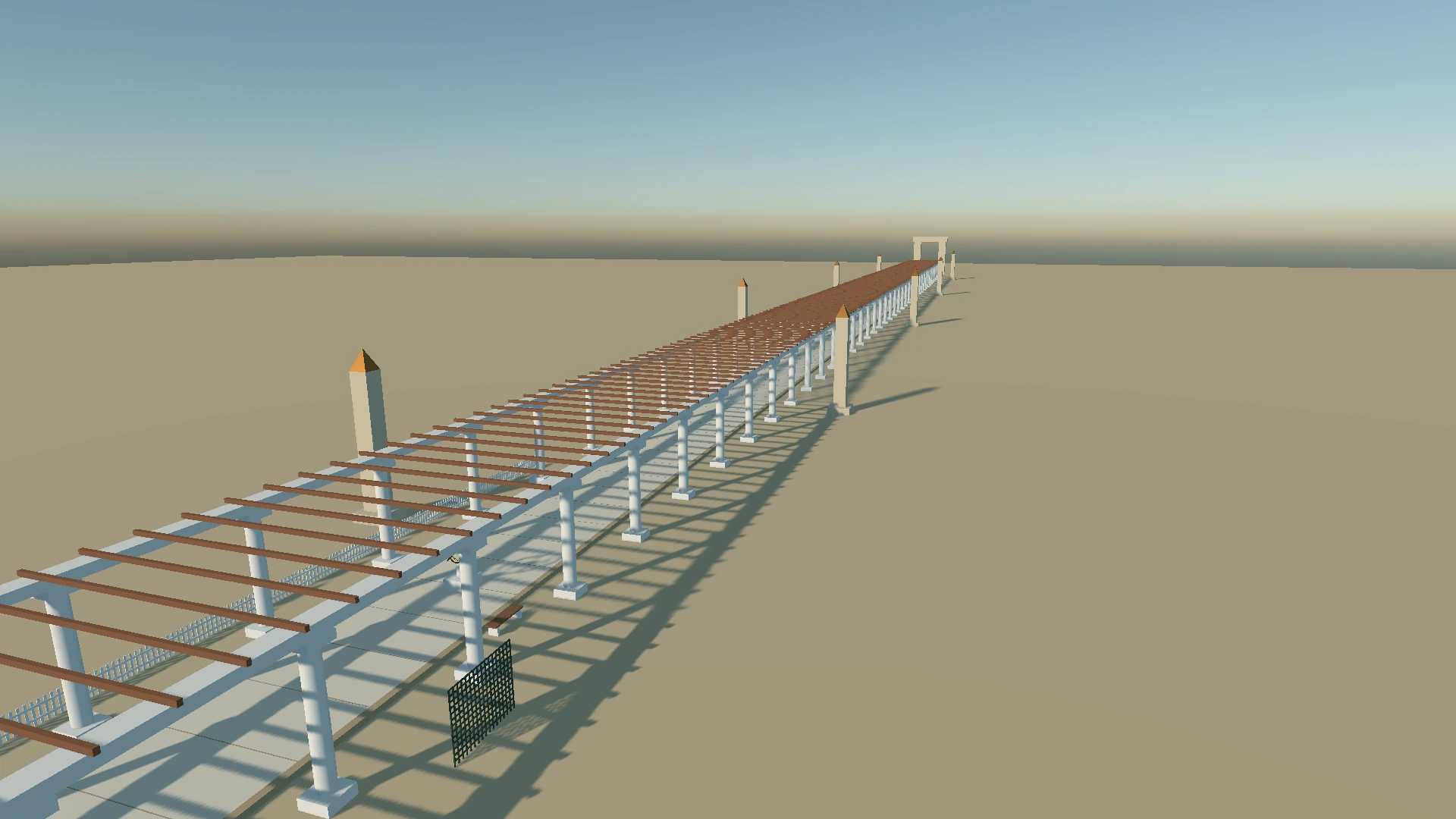
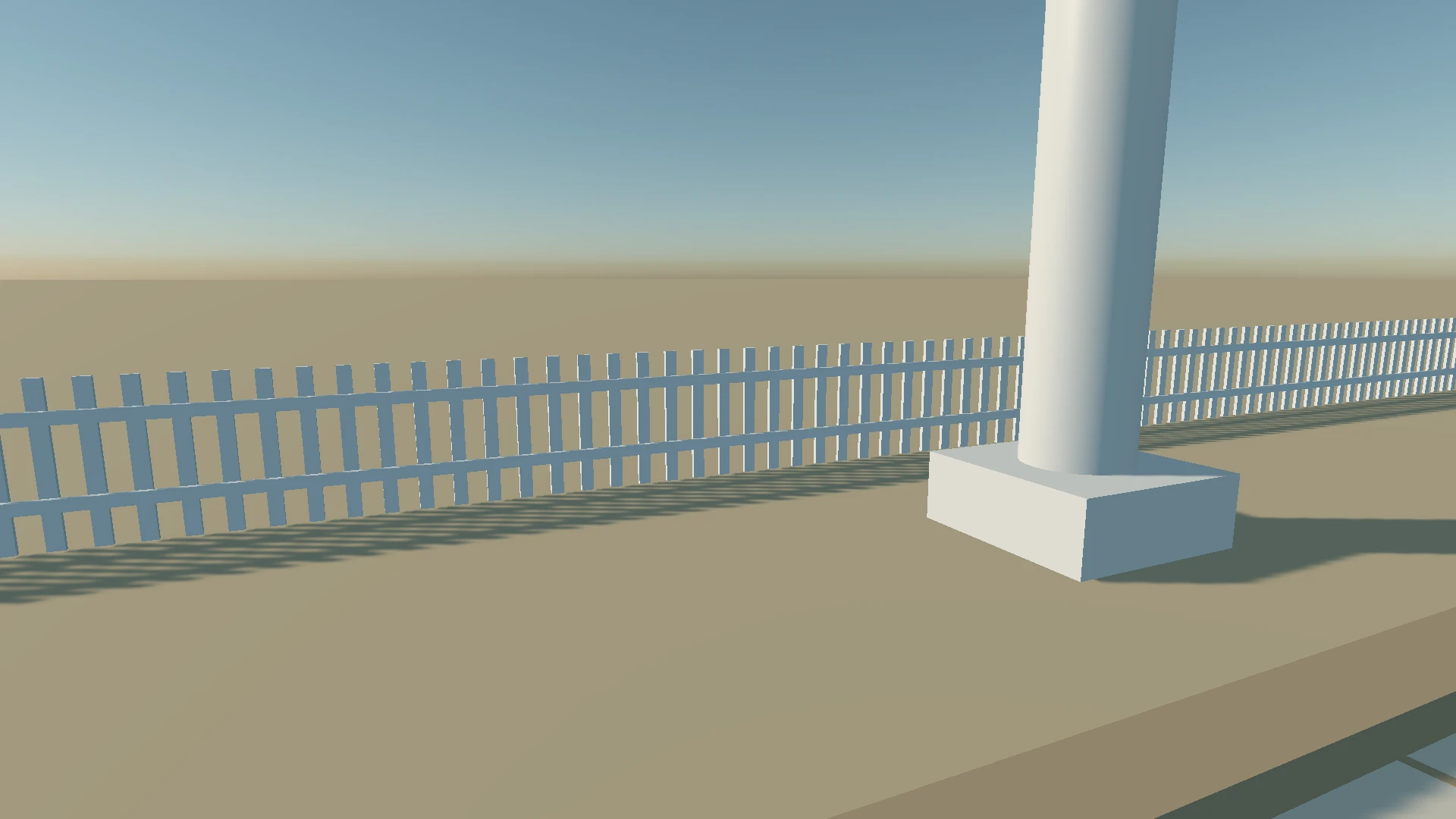
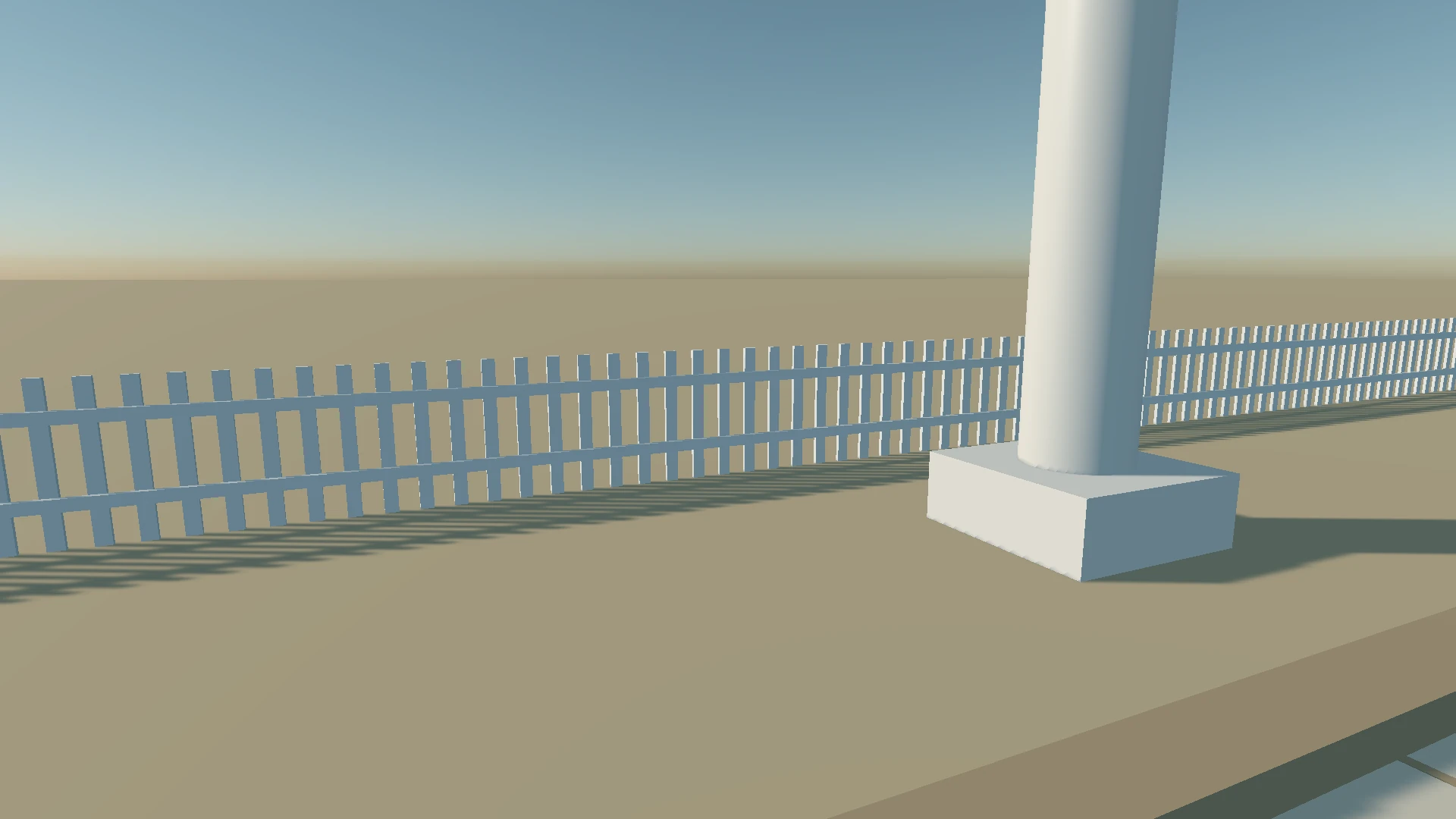
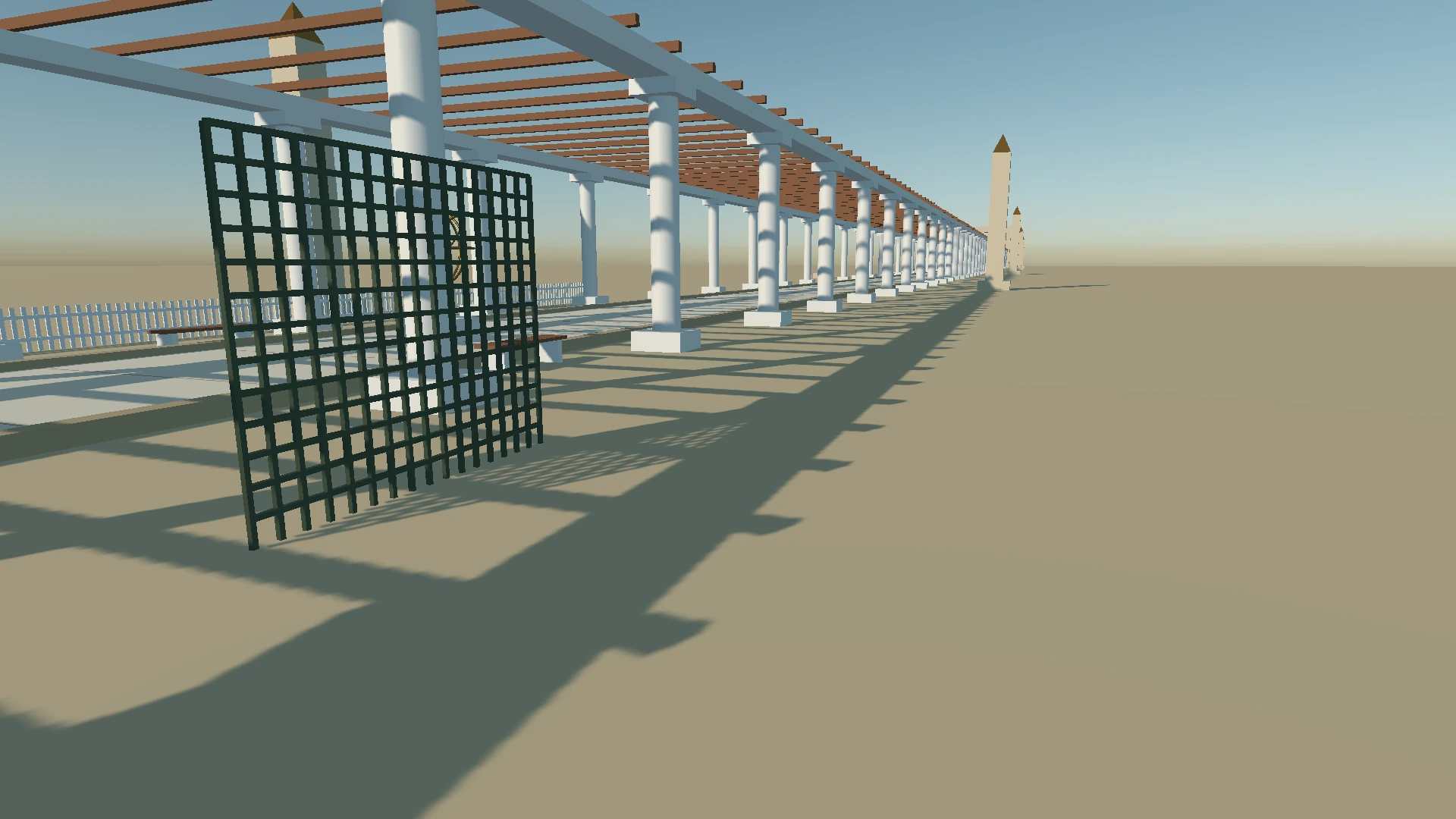
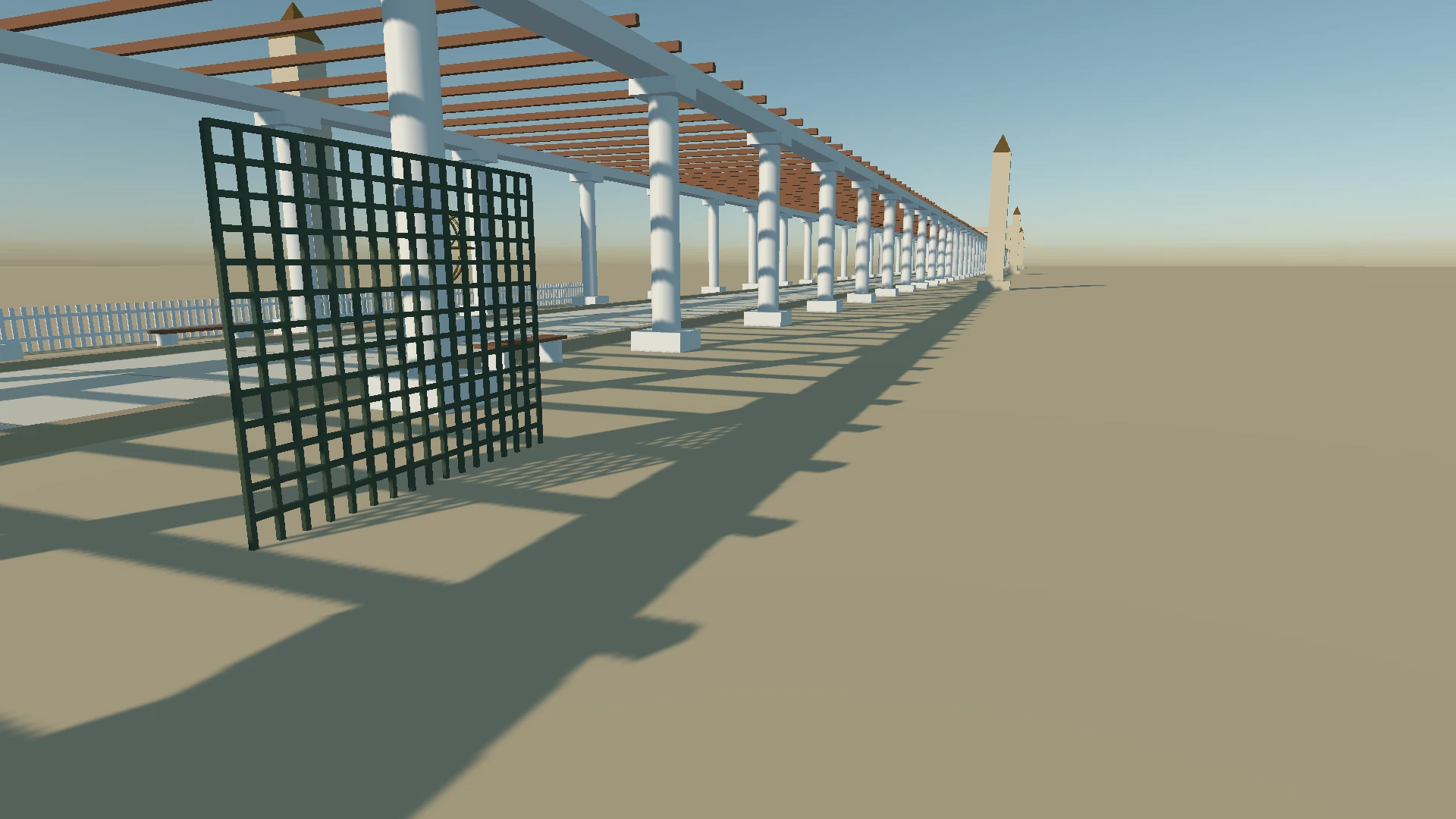
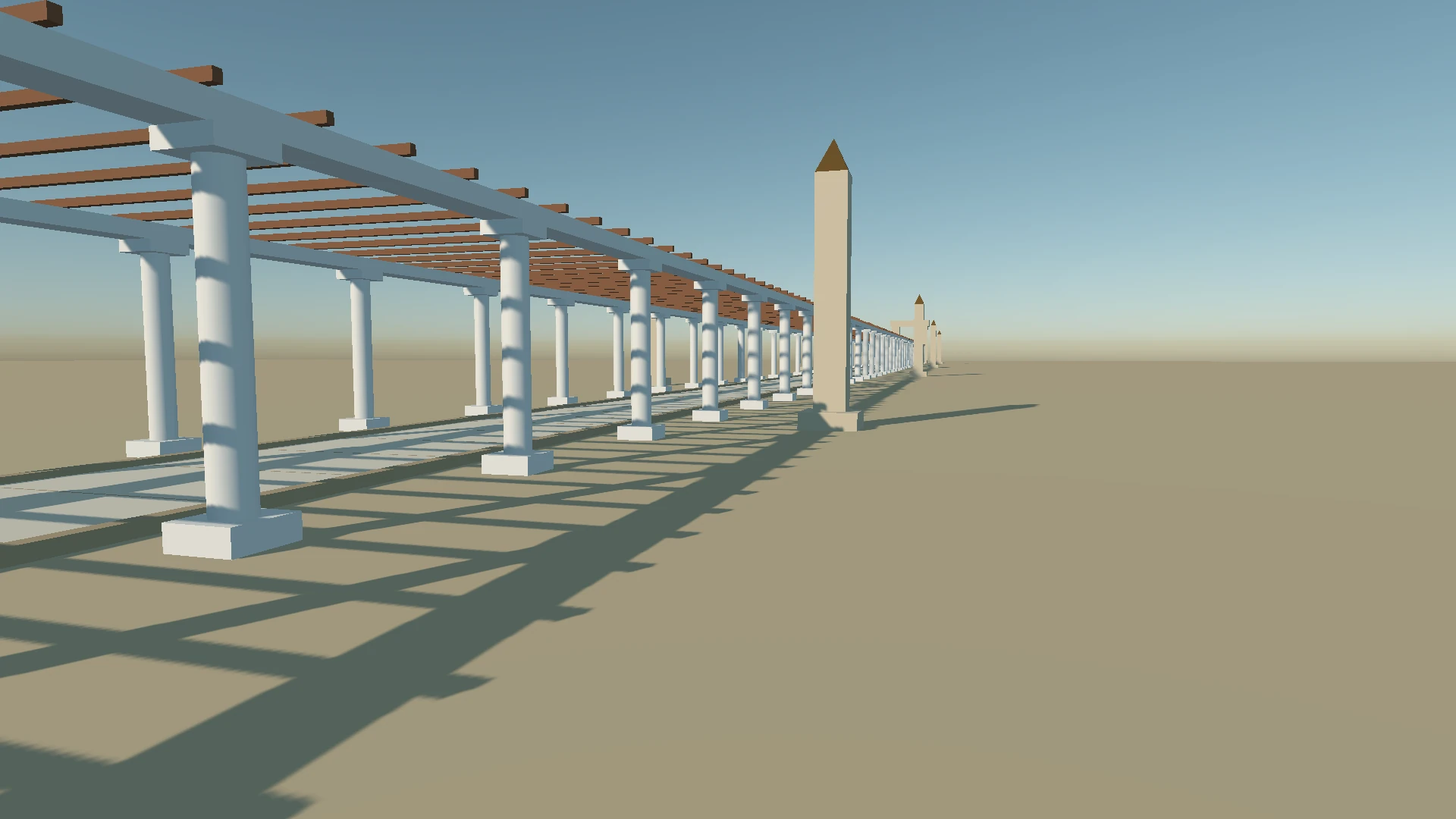
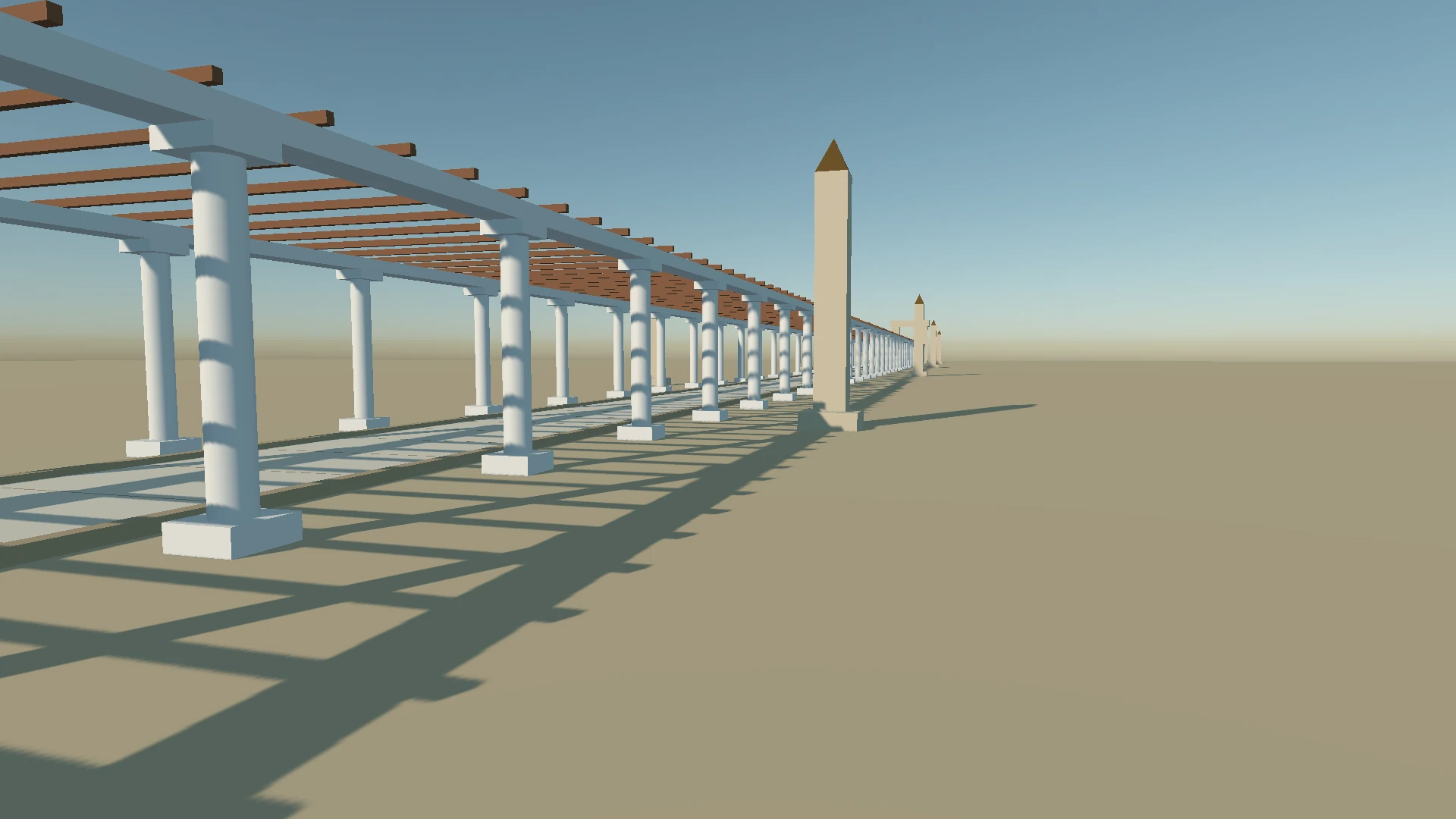
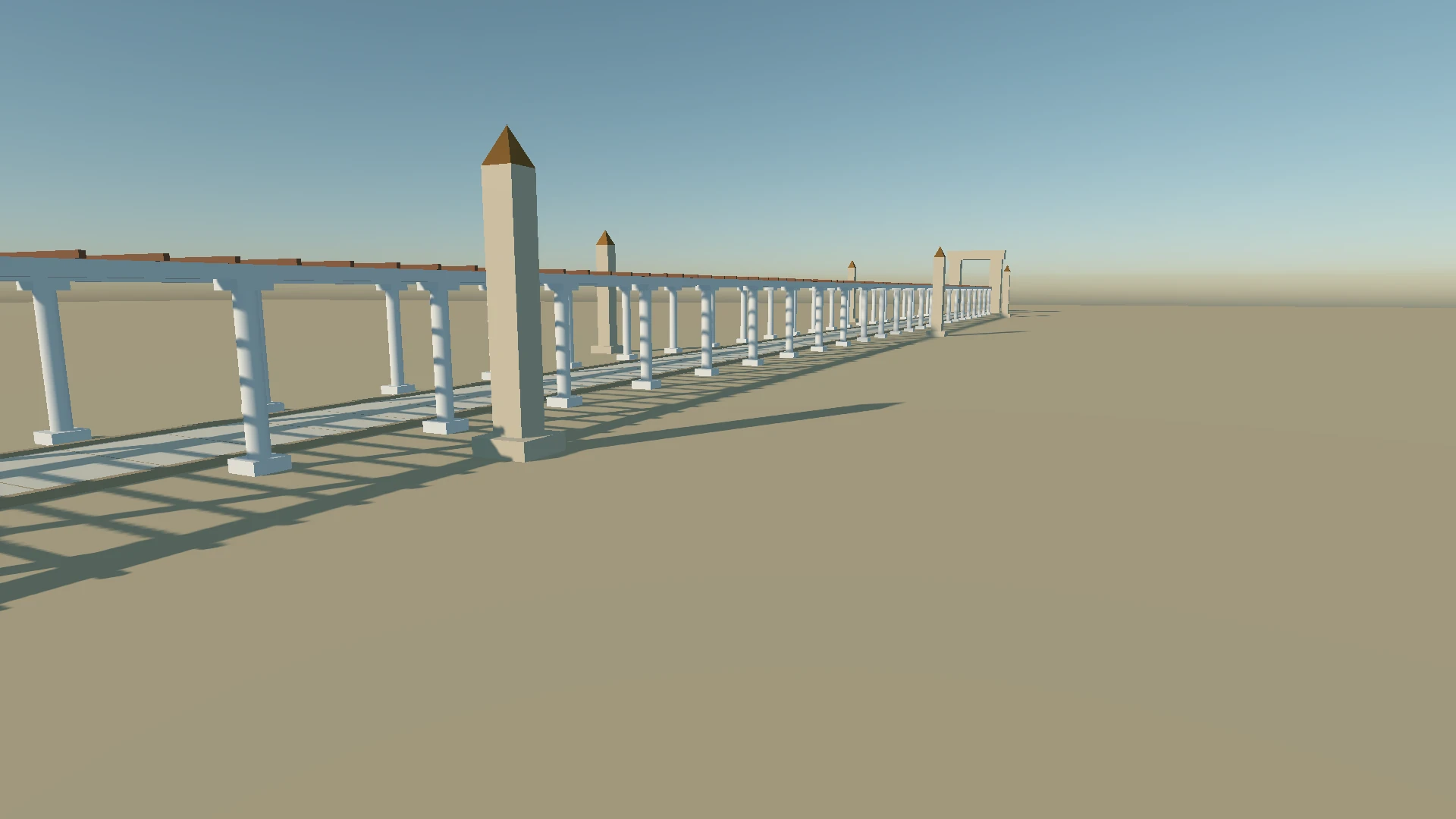
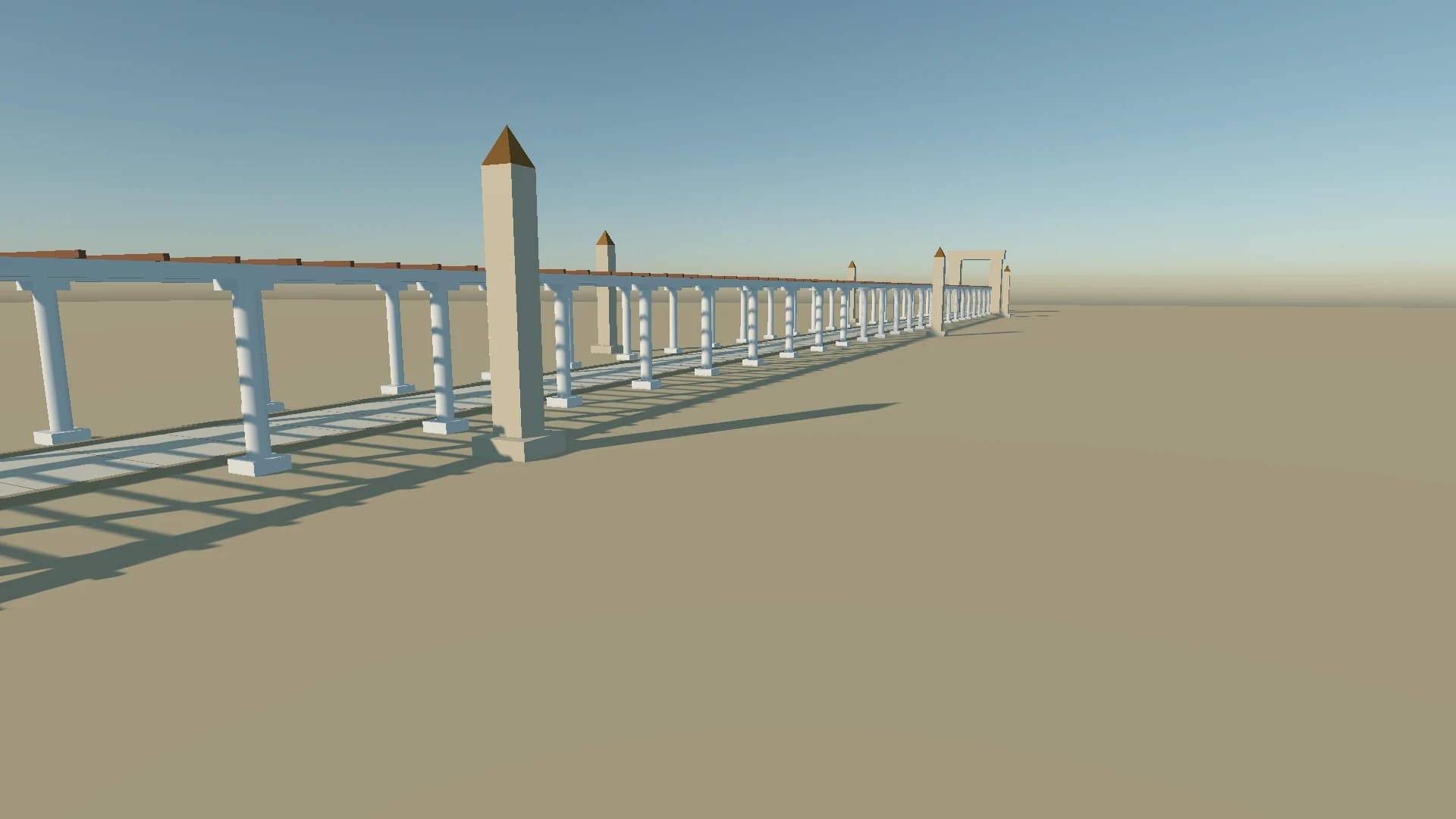
Drag the slider to compare the previous shadow system with the new one in the same scene and camera position.
Getting started
You can adjust everything from the editor or from code. The values below are illustrative starting points, so tune them for your scene:
// Get the directional light of your sun entity
var sun = sunEntity.FindComponent<DirectionalLight>();

sun.IsShadowEnabled = true;
sun.ShadowDistance = 100;                   // How far from the camera shadows are rendered
sun.ShadowCascadeCount = 3;                 // Between 1 and 4

// Keep cascades stable, and fade shadows out smoothly
sun.CascadeFitMode = DirectionalLight.CascadeFitModes.Stable;
sun.ShadowFadeFraction = 0.1f;
sun.CascadeBlendFraction = 0.1f;

// Bias is measured in shadow map texels
sun.ShadowDepthBias = 1;
sun.ShadowNormalBias = 1;
This enables a shadow-casting sun with three stable cascades, smooth blending between them and a gentle fade at the shadow distance. If you see acne, raise the biases slightly. If shadows look detached from their casters, lower them.
Upgrading from the previous version
A few changes affect existing projects:
ShadowBiasis now obsolete and ignored. UseShadowDepthBiasandShadowNormalBias. They are measured in texels, so old values won’t carry over directly.- If you have custom shaders that call
DirectionalLightShadow,PointLightShadoworSpotLightShadow, they now take the geometric normal instead ofNoL. - If a custom shader reads
LightProperties.CascadeSplits, note that it is now afloat4of cascade bounds. The first value is where shadows start, and the next three are where the first three cascades end.
Try it and tell us what you think
Ready to give your scenes steadier, cleaner shadows? Update Evergine, open a scene with a directional light and try the new options.
- Browse the Evergine documentation for the full light and shadow reference.
- Explore the Evergine samples to see lights and shadows in real scenes.
- Found a problem, or have an idea? Tell us in the Evergine feedback repository.
We’d love to hear what you think.