Evergine + Android XR
Your Evergine apps, now on the first Android XR glasses
The Evergine November 2026 release adds support for Android XR, Google’s new platform for headsets and glasses. We built it as part of Google’s Android XR Developer Catalyst Program, which gave us early access to XREAL AURA devkits. The result: your Evergine apps, including everything built with Evergine MRTK, now run on the first optical see-through glasses powered by Android XR.
Android XR support reinforces one of Evergine’s core goals: taking the same industrial 3D technology to every device people work with, from the desktop and the web to the glasses they wear.
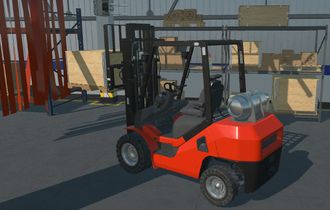
Figure 1 — Evergine MRTK running on XREAL AURA, captured straight from the glasses
No renders, no mock-ups. Buttons, sliders and panels anchored in the real world, driven by your own hands. Every interaction you see is the same MRTK code that already powers Evergine apps on other XR devices, from community projects to the custom solutions we build at Plain Concepts. We did not rewrite the toolkit for Android XR; we taught Evergine to talk to a new platform.
1. What is Android XR
Android XR is Google’s platform for extended reality, developed in collaboration with Samsung and Qualcomm. It brings the Android ecosystem, its apps, its tools and Gemini, to a whole family of devices from different manufacturers. Instead of betting on a single headset, developers target one open platform that keeps growing.
| Feature | Android XR |
|---|---|
| Developed by | Google, in collaboration with Samsung and Qualcomm |
| Open standards | OpenXR 1.0 and 1.1, plus WebXR in Chrome |
| Devices | Headsets like Samsung Galaxy XR, wired XR glasses like XREAL AURA, and AI glasses |
| Apps | Android apps from Google Play, plus a growing catalog made for XR |
| AI | Gemini built into the platform, aware of what you see and do |
| Developer tools | Jetpack XR SDK, OpenXR, WebXR, Unity, Godot, Unreal and now Evergine |
XREAL AURA is the first pair of wired XR glasses on Android XR, launched on October 28. Its lenses are transparent, so you see the real world with your own eyes, and they can also be dimmed to block it out. They offer a 70-degree field of view and weigh under 95 grams, because the heavy processing runs on a small compute puck connected by a cable, powered by the new Snapdragon Reality Elite platform.
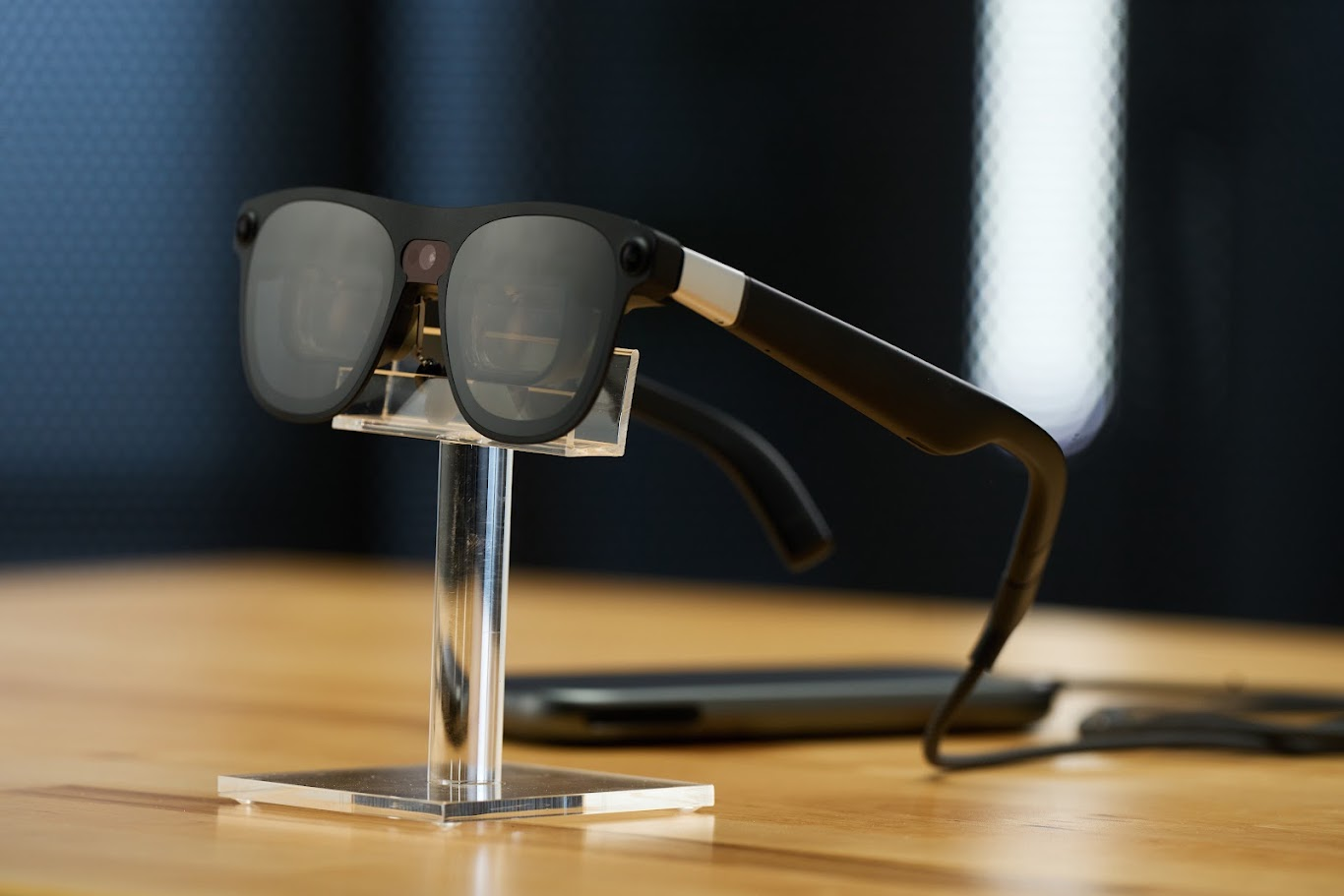
Figure 2 — XREAL AURA glasses and compute puck. Image: XREAL
2. The Android XR Developer Catalyst Program
We had the pleasure of joining Google’s Android XR Developer Catalyst Program, launched with XREAL to give selected developers early access to hardware, technical resources and support for Android XR. Through the program, Google provided us with XREAL AURA devkits ahead of the public launch.
Having real hardware early made all the difference. We could test on the device every day, measure performance where it matters, and shape the integration around how people actually use the glasses.
Special thanks
A special thank you to the whole Android XR team at Google for their guidance, quick answers and genuine enthusiasm throughout the program. Thanks also to the XREAL team for building such a capable device. It has been a pleasure working with you.
3. Inside the integration
The key to this integration is OpenXR, the open, royalty-free standard from the Khronos Group for building XR applications. Before OpenXR, every headset came with its own SDK, and supporting a new device meant writing a new integration from scratch. OpenXR defines one common API that every compatible device implements, so an engine that speaks OpenXR can reach all of them, while each manufacturer adds extensions for the features that make its hardware unique.
Evergine has relied on OpenXR for years: it is the same layer that powers our Meta Quest and Pico support. Android XR is built on OpenXR too, which gave us a head start. Instead of starting from zero, we connected Evergine’s existing OpenXR layer to the Android XR runtime and added support for what this new platform offers, such as hand tracking and control over how content blends with the real world. Along the way, we also polished that shared layer, so every OpenXR device benefits.
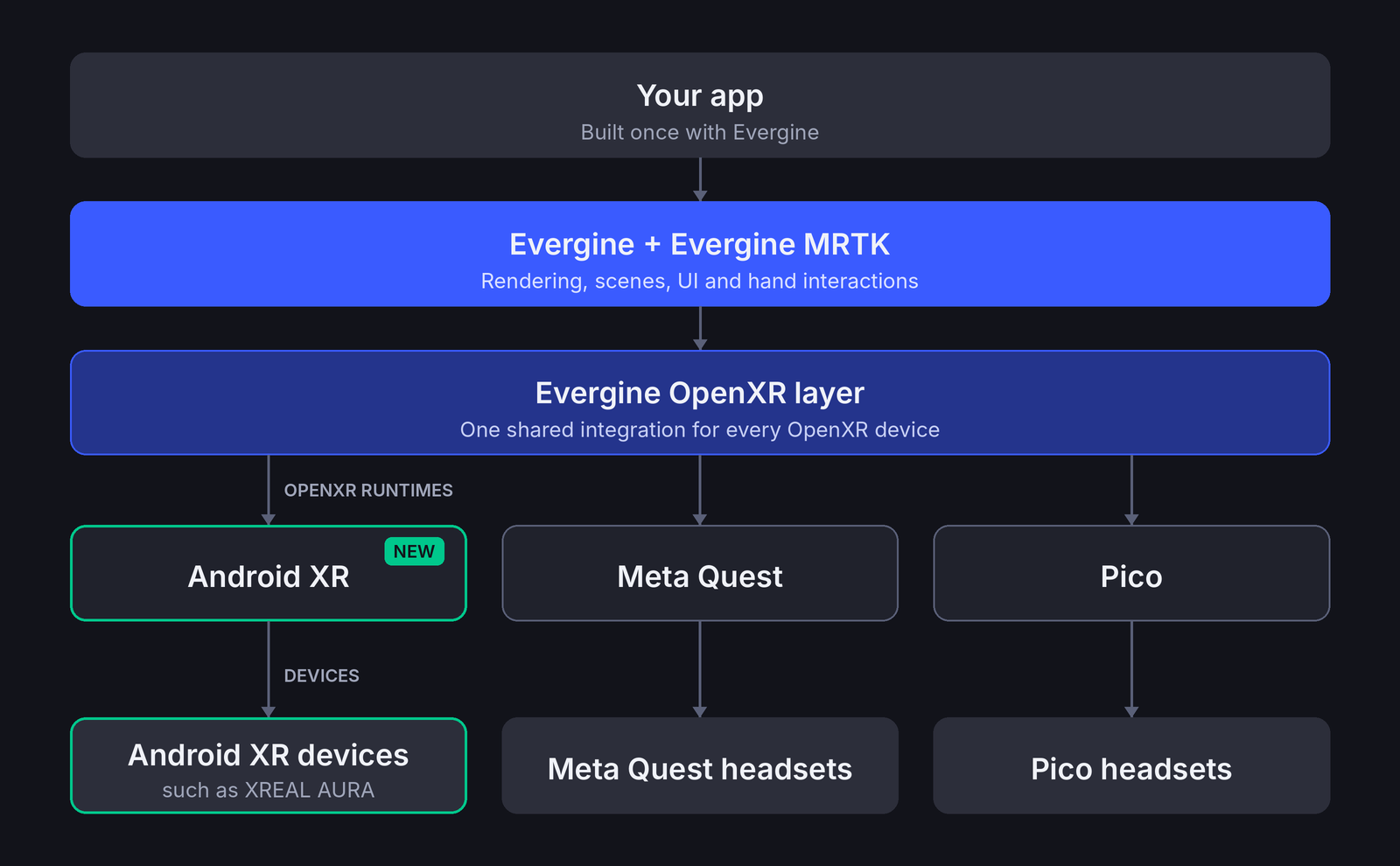
Figure 3 — One OpenXR layer in Evergine connects the same app to Android XR, Meta Quest and Pico
These are the main pieces of the Android XR integration:
- A cleaner graphics setup. Evergine’s renderer now starts up hand in hand with the XR system, a change that also benefits our Meta Quest and Pico support.
- From AR to full VR. On XREAL AURA, your app can keep the lenses clear and blend content with the real world, or darken them completely for fully immersive VR experiences.
- Hand tracking out of the box. Hand tracking is on from the start, so your users can interact with your app using their own hands from the very first build.
- A dedicated native package. The new Evergine.OpenXR.Natives.AndroidXR package bundles the OpenXR loader and the Android configuration that Android XR apps need, so you don’t have to set any of it up by hand.
4. New template in the Evergine Launcher
A new platform is only useful if getting started is easy. That is why Android XR support comes with a new template in the Evergine Launcher, with its own logo in the template selector. Create a project, deploy it to the glasses, and you have a working Android XR app with hand tracking ready, so you can focus on your app instead of setting up the platform.
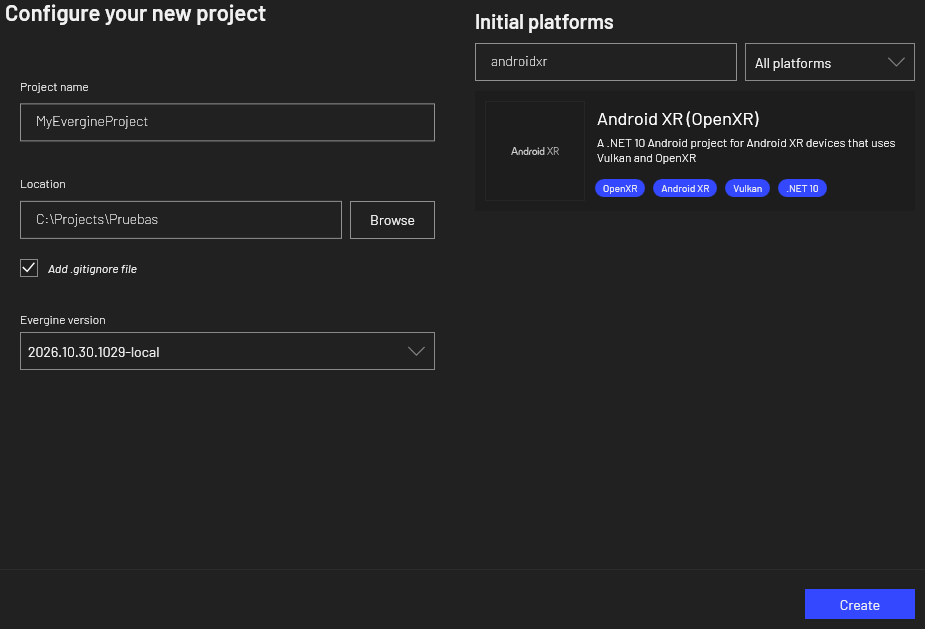
Figure 4 — The new Android XR template in the Evergine Launcher
| Requirement | Details |
|---|---|
| Template | Android XR (OpenXR), in the Evergine Launcher |
| .NET | .NET 10 |
| Android | Android 14 (API level 34) or later |
| Graphics | Vulkan, through OpenXR |
| Tested on | XREAL AURA |
You will find the setup details in our documentation.
5. Use cases
Plain Concepts has been building XR on Evergine for years, almost always for industry. We built an engineering visualization tool for HoloLens with Willbö, a VR viewer for CATIA models for Airbus, and MRLink, which lets operators control Boston Dynamics’ Spot remotely with mixed and virtual reality glasses. Along the way, Evergine’s NuGet packages have passed 4.5 million downloads.
Those projects share a pattern: people need digital information on top of the real world while their hands and eyes stay on the job. That is where lightweight glasses on Android XR shine:
- Remote assistance: a field technician sees an expert’s instructions and annotations on top of the equipment, with both hands free.
- Training on the shop floor: step-by-step 3D guides placed on the real machine.
- Digital twin inspection: the digital twin, from CAD, point clouds or Gaussian Splatting, overlaid on the real installation.
- Design reviews: CAD models at real scale, in AR or with the lenses darkened for full VR.
- Geospatial visualization: planet-scale scenes with the Cesium add-on, on a private screen anywhere.
6. Conclusions
Android XR opens a new family of devices to Evergine, starting with XREAL AURA. The same apps and the same MRTK interactions now run on lightweight glasses that move from AR to full VR, and the new Launcher template makes starting a project a matter of minutes.
| What’s new | Details |
|---|---|
| New platform | Android XR support in the Evergine November 2026 release |
| First device | XREAL AURA, the first wired XR glasses on Android XR |
| AR and VR | Clear lenses for AR, or fully darkened for immersive VR |
| Hand tracking | Enabled from the very first build |
| New template | Android XR template in the Evergine Launcher |
This is only the beginning. We will keep improving the integration as Android XR evolves and more devices arrive.